
Enterprise Queue Management
One partner, from circuit board to counter software. We design the hardware and write the software that runs it, so ticketing, routing and counter calling all come from the same team.

Trusted by industry leaders





Unified Branch Flow Architecture
From the ticket at the entrance to the call at the counter, every step runs inside the branch, on the kiosk that acts as the server. No internet connection is involved. The complete journey is below.
Self-Service Ticketing for Walk-In Customers
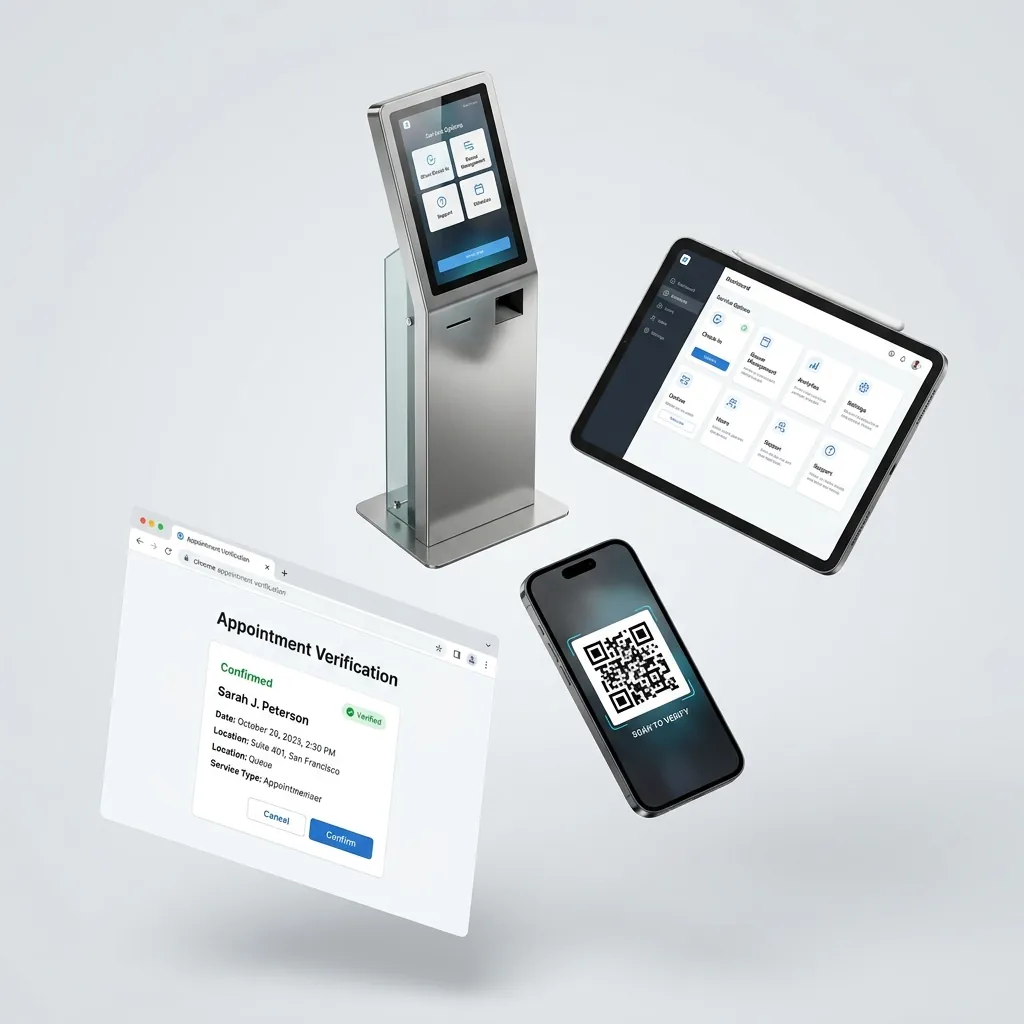
The customer walks in, chooses the service they need on the self-service kiosk, and takes a printed ticket. A branch that does not want a kiosk can issue tickets from a tablet instead. Either way, the ticket number holds the customer's place in the queue.
Fair Distribution Between Counters
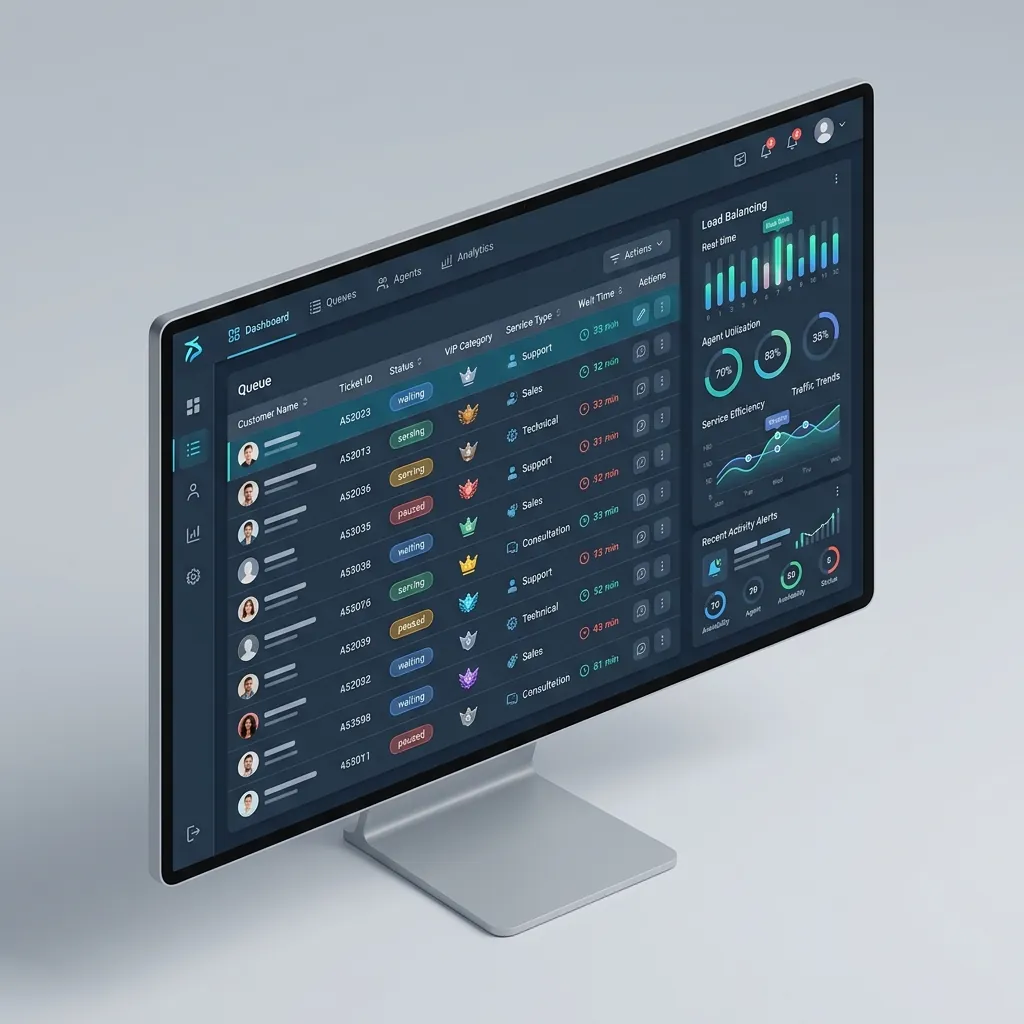
Once a customer has a ticket, the system distributes customers fairly between the service windows, according to the service each customer chose and how busy each window is. Customers are called in order within their service, and the counter software shows staff the customers waiting for the services they handle.
Acoustic & Visual Calling Systems
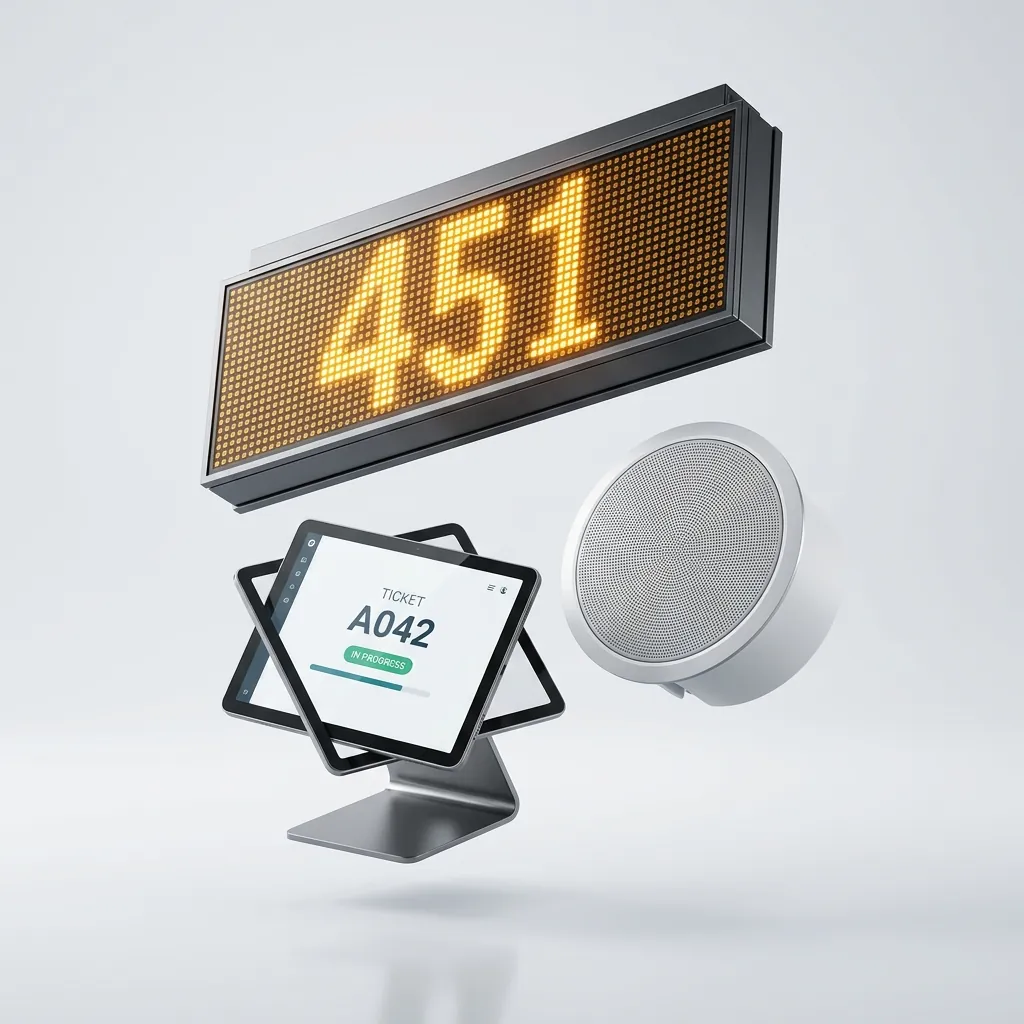
Keep waiting areas calm and informed. Our hardware ecosystem combines ultra-bright LED matrix displays for wide-angle visibility, localized LCD counter screens for precise direction, and multi-zone acoustic systems featuring natural, bilingual voice synthesis to ensure no one misses their turn.
Calling at the Counter
At the service window, the employee calls the next ticket, recalls a ticket when the customer has not yet come to the counter, and closes the ticket when the service ends. Each call appears on the counter display and the waiting-hall screens and is announced by voice.
Modular Hardware Capabilities
Every piece of hardware is built with industrial-grade materials, ruggedized electronics, and modular expansion slots to fit your exact architectural requirements.
Self-Service Check-In Kiosks
Custom-fabricated cold-rolled steel enclosures designed for 24/7 continuous public operation.
- Display Options: 15" to 32" Full-HD capacitive multi-touch screens (anti-glare, 500+ nits)
- Chassis & Finish: Heavy-duty powder-coated steel with custom RAL color matching and vinyl branding
- Compute Platform: Fanless industrial x86/ARM embedded boards with Windows IoT / Linux support
- Integrated Peripherals: High-speed 80mm thermal printers, optical QR/barcode scanners, RFID/NFC & smart-card readers
Counter & Waiting Displays
Ultra-bright visual status indicators engineered for wide viewing angles in busy waiting halls.
- LED Matrix Displays: Multi-color high-contrast alphanumeric displays with wide horizontal visibility
- Counter LCD Units: 10.1" to 15.6" compact counter-top displays powered via PoE / local power
- Digital Signage Split-Screen: Seamless overlay of real-time queue calls on main advertising screens
- Communication: Native TCP/IP, RS485 industrial bus, and wireless mesh networking
Industrial Ticketing Engines
Heavy-duty thermal print engines engineered for zero-jam, high-volume transactional dispensing.
- Print Speed: Up to 250 mm/s high-speed direct thermal printing
- Reliability: Heavy-duty guillotine auto-cutter rated for 1.5M+ cuts with anti-jam sensors
- Paper Handling: 80mm wide paper roll capacity with automated low-paper optical telemetry
- Multilingual Support: Native Arabic/English vector font rendering and custom QR code printing
Acoustic Announcement Systems
Intelligent acoustic calling hardware with natural multilingual voice synthesis.
- Voice Synthesis: Studio-quality bilingual (Arabic & English) text-to-speech announcement engine
- Amplification: Multi-zone audio distribution with custom acoustic chime triggers
- Integration: Direct interface with facility PA ceiling speakers or localized counter speakers
Managed PoE & Failover Infrastructure
KeyLife's own cabling and switching, so the system runs without the organization's network, server or internet connection.
- PoE Switching: 8 to 24-Port Smart Managed PoE+ infrastructure with 300m long-range transmission
- No Internet Dependency: The kiosk acts as the server; where a building network exists, the system uses one port on its switch at most
- Power Management: Intelligent PoE watchdog that auto-detects and power-cycles unresponsive peripherals
Routing and Calling, Inside the Branch
KeyLife's own queue management software runs on the kiosk inside the branch, with no internet connection.
Fair Distribution
Customers are spread fairly between the service windows, according to the service they chose and how busy each window is, and called in order within their service.
Calling by Screen and Voice
Each call shows on the counter display and the waiting-hall screens and is announced by voice in Arabic, English or both.
Simple Counter Software
Staff call the next ticket, recall a ticket when the customer has not come forward, and close it when the service ends.
Ticket Records Kept in the Branch
The kiosk keeps a record of every ticket issued: the service chosen, the counter that served it, and the details the customer entered at the kiosk, such as a phone number. The records stay on the kiosk, inside the branch.
Branch Performance Reports
Performance reports, including waiting times, are produced on the kiosk and stay in the branch. Nothing is sent outside the building.
Engineered for Your Brand & Facility
Because we control the entire engineering stack from sheet metal fabrication to board layout and firmware, we easily adapt systems to bespoke architectural requirements.
Custom Chassis & Form Factors
Free-standing, counter-top, wall-mounted, or flush-recessed kiosks designed to complement your interior architecture and space constraints.
Brand Identity & Finishes
Precision laser-cut backlit logos, automotive-grade powder coating matching your brand palette, and custom vinyl overlays.
Custom Peripheral Integration
Seamless integration of specialized passport readers, thermal biometric cameras, fingerprint scanners, or payment POS terminals.
A Branch That Holds Up on Its Busiest Day
The system is bought for what the customer experiences: a wait that is visible, ordered and shorter. The operational gains follow from the same mechanisms, once the floor is no longer managed by hand.
Service Your Customers Feel
A Wait the Customer Can See
Displayed queue position and calling screens replace the guesswork. A customer who cannot tell whether the wait is five minutes or fifty assumes the worst; one who knows where they stand waits.
The Right Counter, First Time
Routing by service type and teller availability sends each customer to the position equipped to finish the transaction, instead of passing them between counters to find out.
The Efficiency That Follows
Fewer Customers Leave Before Being Served
Every ticket that reaches a counter is a transaction the branch keeps. Shortening and clarifying the wait is what keeps it there.
Counters Shared Fairly
Customers are spread between the windows that offer their service, so one window is not overloaded while another waits.
A Calmer Waiting Hall
Customers wait seated, holding a ticket, instead of standing in a line or crowding the counters.
Where Branch Queues Get Managed
One platform, tuned to environments that define a good visit very differently. The routing rules change with the sector. The hardware does not.
Banks, Exchange Houses and Insurance
Quick counter transactions and longer services share one floor but not one pace. Routing by service type keeps a two minute deposit from sitting behind a mortgage review.
- Customers called in order within each service type, and spread fairly between the counters that offer it
- Calls announced in Arabic, English or both, by voice and on screen
Clinics and Hospitals
Waiting areas stay calm and readable when patients wait seated and are called by voice as well as by screen.
- Bilingual voice announcement alongside LED matrix and counter displays
- Patients wait seated, holding a ticket, instead of standing in line
Utilities and Municipal Service Halls
High volume citizen service, where a hall fills faster than staff can be reassigned. Fair distribution between counters and clear calling keep a full hall moving in order.
- The kiosk acts as the server, so tickets keep issuing and customers keep being called through an internet outage
- Multi zone calling covers halls too large for a single display to serve
Telecom Stores and Service Centres
Sales and technical support draw on the same counter staff. Separating them at the routing layer stops a SIM swap queueing behind a device repair.
- Distinct service categories, each with its own counters and displays
- Customers wait seated and are called to the right counter by screen and voice
Retail Service Counters
A service desk inside a shop floor competes with the shop floor. An unclear wait is what turns a customer into someone who leaves.
- Counter displays direct customers without staff calling across the floor
How a Deployment Runs
One partner from the branch survey to the support call. Because we design the hardware and write the software that runs it, there is no point in the process where a problem becomes somebody else's to explain.
Discover
We walk the branch before anything is specified. Which services are offered at which counters, how traffic moves through the busiest hours, where a display can actually be seen from, and what your existing systems already hold. The output is a set of routing rules and a device layout, agreed before manufacturing starts rather than discovered during installation.
Design
Chassis, finish and peripherals are built to the branch and the brand rather than selected from a catalogue. The software side is configured in parallel: service categories, which counters handle which services, and announcement languages. A bespoke enclosure or an unusual peripheral is a specification change here, not a procurement problem later.
Deploy
Kiosks, counter screens, calling displays and network infrastructure are installed and commissioned on site, then handed over with your staff working the counter software against real traffic. Rollouts run branch by branch, so the first site proves the configuration before later branches reuse it.
Support
Maintenance, spares and firmware updates come from the team that designed the board and wrote the code. When a ticket printer, a calling display and the routing logic are all ours, diagnosis does not start with three vendors deciding whose problem it is.
Queue Management FAQs
Does the system keep working if the branch loses its internet connection?
Yes. The system does not use the internet at all. The kiosk inside the branch is the server, so tickets are issued and customers are called with or without a connection.
Does it work in Arabic as well as English?
Both, natively. Tickets print with Arabic and English vector font rendering rather than bitmap workarounds, and the announcement engine speaks both languages.
Do you build the hardware yourselves, or resell someone else's?
We build it. Enclosure fabrication, board layout and firmware are all in-house, alongside the software that runs them, which is why a bespoke chassis or an unusual peripheral is a specification change rather than a procurement problem.
Do customers have to use a kiosk to join the queue?
The system is built for walk-in customers, who take a ticket at the entrance. A branch that does not want a kiosk can issue tickets from a tablet instead.
Can we start with one branch and expand later?
Yes. Rollouts run branch by branch, and each branch runs on its own kiosk. The first branch is where the routing rules and service categories get proven, and later branches reuse that configuration.
What happens if a kiosk or display stops responding?
The PoE infrastructure runs a watchdog that detects an unresponsive peripheral and power cycles it automatically, so the common failure resolves without anyone being dispatched. The branch keeps issuing tickets in the meantime, because the kiosk acting as the server does not depend on the device that failed.
Your turn
READY TO DEPLOY?
Whether you need a turnkey system or a scalable hardware ecosystem, our engineers are ready to deliver.